
Operations
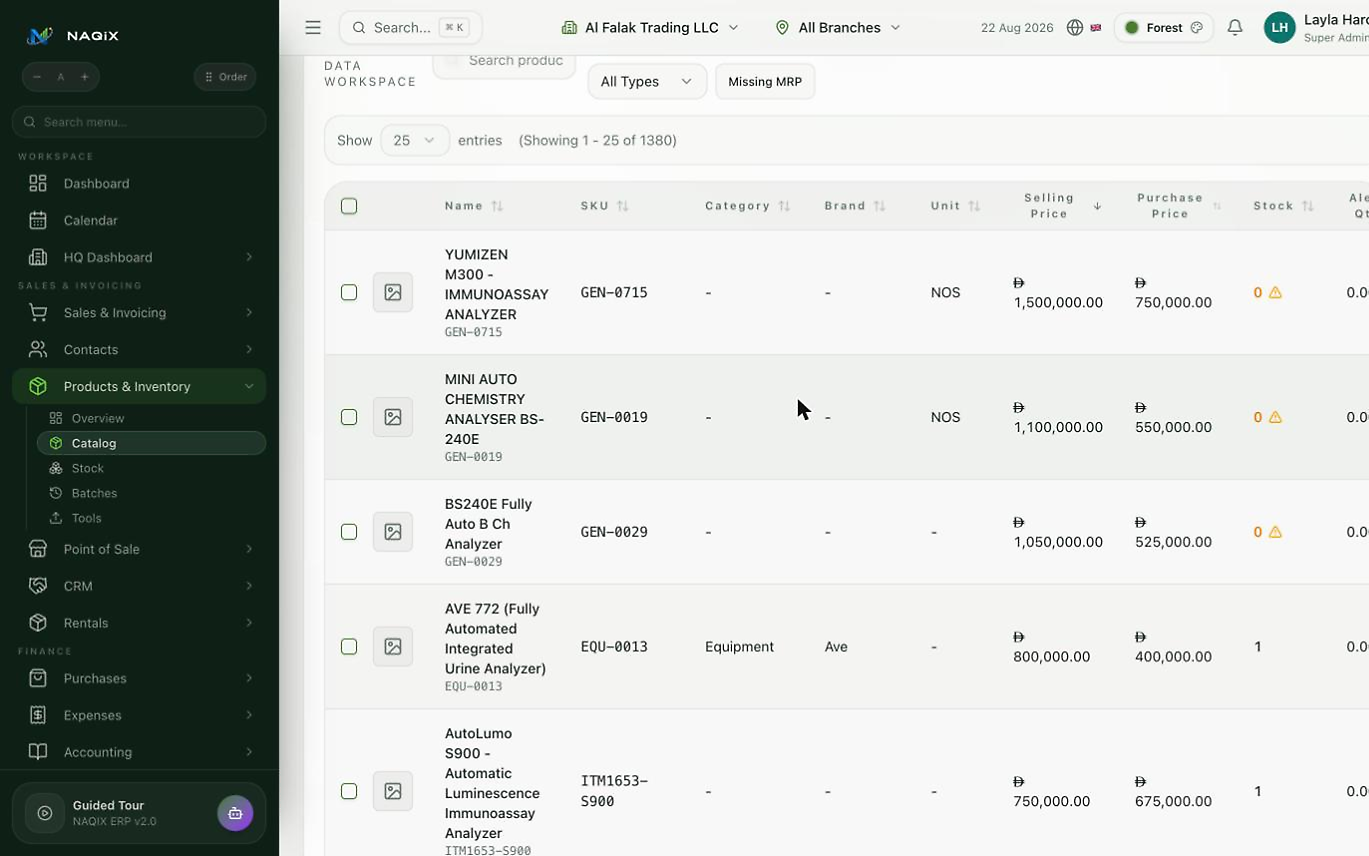
Inventory
Understand what is on hand, committed and available across locations.
What your team can manage
- Stock movements and counts
- Batches, serials and expiry
- Transfers and reorder alerts
- Multi-location and multi-branch stock
- Demand forecast and stock ageing
- Stock valuation at weighted average cost
- Stock counts by batch through Excel
A real-world example
Two batches are available. Check the physical label, eligible quantity and expiry before selecting the batch to dispatch.
- Review stock in the correct branch, not only the company's overall quantity.
- Check the suggested batch and expiry. Earlier expiry and receipt order are different selection rules.
- Investigate missing receipts, held stock and batch mismatches. Follow the configured approval policy; negative stock is not a blanket safety override.
Permissions: Restrict adjustments and sensitive stock exceptions to authorised roles.
Part of your connected business
NAQIX brings sales, purchasing, inventory, accounting, CRM, HR and industry operations into one platform. Choose the modules your team needs and define access by role and branch.
NAQIX supports businesses across countries with multi-company, multi-branch and multi-currency workflows. Module availability and local requirements depend on your plan and configuration.
Compare plans and included featuresSome specialist tools require an enabled module or a separate package. Confirm availability, permissions and country requirements during your demonstration.
Read practical setup guidesRelated modules
- Service & maintenance - Organise requests, equipment and the work your technicians perform.
- Rentals - Track rental equipment from availability to return and billing.
- Fleet management - Keep vehicles, assignments, maintenance and operating costs visible.
Bring your workflow. We will show you around.
Start a 40-day trial with your own data, or book a guided demo and tell us your industry, branches and daily tasks. We show the whole flow, returns and payments included, not just screens.